

Reference

The overcalled App: Your Lobby on Any Screen

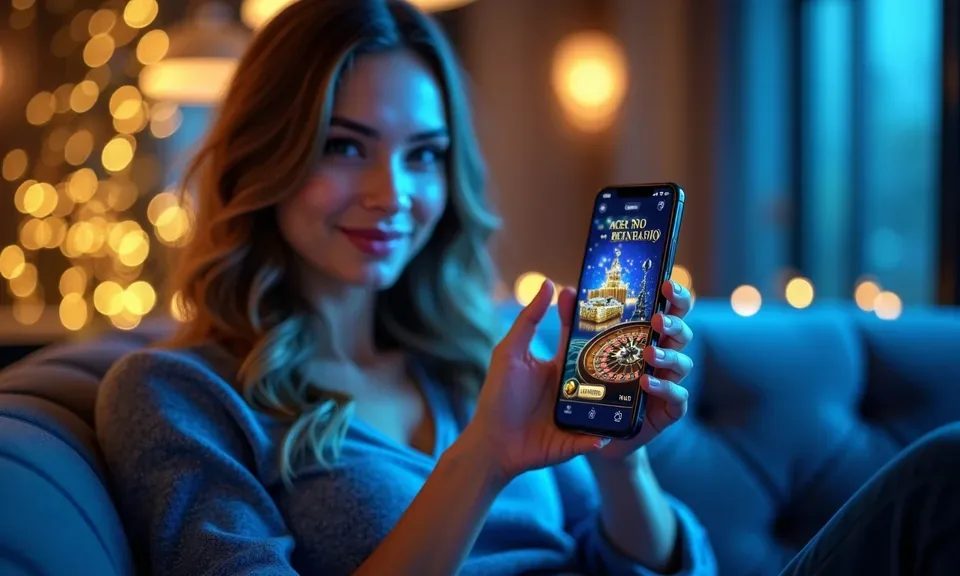
The overcalled mobile experience puts live dealer tables, slot rooms like Boombox Riches and Midnight Rush, and NFL same-game parlays right in your browser — no bulky download required.

mobile browser accessaccount wallet on-the-goavailability depends on state lawtouch-optimized lobbyno forced download
overcalled The overcalled App: Your Lobby on Any Screen
LOBBY SPEED DETAILS

Four Things the Mobile App Does Well

Each of these features works through the overcalled mobile browser session — no native install needed. They are built around the account flow, not bolted on as afterthoughts.

Biometric Login On devices that support fingerprint or face recognition, you can authenticate straight into your account without typing a password every session.
Push Notifications Enable browser notifications and overcalled will alert you when a bet settles, a new live table opens, or your wallet balance updates after a deposit.
Dark Mode Display The lobby switches to a darker color scheme automatically on devices with system-level dark mode active, keeping the interface easy on your eyes during late games.
Offline Lobby Preview The app caches your recently visited sections so the lobby shell loads even on a slow connection — handy when you're checking your betslip between plays.
overcalled What the overcalled App Puts in Your Hands

What the overcalled App Puts in Your Hands

Open the overcalled mobile lobby and you land directly in the same slot rooms, live dealer section and sportsbook you know from desktop — nothing stripped out. Push notifications let you know when your NBA Basketball Player Props bet settles or when a live Pragmatic Play table opens a new seat. Quick deposit keeps your wallet funded without switching apps; just tap

through to your account's payment section. Fingerprint login on supported devices means you skip the password every time. Players in Houston have flagged how cleanly the betslip loads on a standard Android browser, which gives you a real sense of how the layout holds up on mid-range hardware.
Browser and Device Compatibility at a Glance

The overcalled mobile lobby is designed around the browsers Americans actually use day-to-day. Before you dive in, here is what to confirm on your end so the session runs cleanly from the first tap.

Supported BrowsersChrome for Android and Safari for iOS are the primary supported browsers. Firefox and Edge on mobile also render the lobby, though some live-dealer streams perform best on Chrome or Safari.
Screen LayoutThe lobby is built for portrait mode on phones and adapts to landscape for tablet use. Live Evolution tables and the sportsbook betslip reflow cleanly at both orientations.
Account RequirementsYou need a verified overcalled account to access real-money rooms. Identity verification is completed once through the account settings section and carries over to every device you use.
Checking App AvailabilityWhether a native app build is currently available for your state can be confirmed through your account's 'App & Device' section or by contacting live chat support directly.
State EligibilityAccess to real-money casino and sportsbook sections depends on where you are located and what your state law allows — the app checks eligibility automatically at sign-in.
overcalled Mobile Access in 3 Steps

Mobile Access in 3 Steps

Getting the overcalled lobby onto your phone does not require hunting through an app store. The mobile experience runs through your browser, so setup is straightforward. First, open overcalled in Chrome on Android or Safari on iOS — both render the full lobby without a stripped-down fallback. Second, sign into your existing account or complete the quick registration flow; identity verification is

handled right there in the browser. Third, add the site to your home screen using your browser's 'Add to Home Screen' option so it behaves like a shortcut app. From that point, tap to open, authenticate with your fingerprint if enabled, and your account — including your betslip for NFL player props and your recent Blue Ridge Bingo sessions — is right

there.

  • Open overcalled — Navigate to overcalled in Chrome or Safari on your device — the mobile layout loads automatically without any redirect.
  • Sign in or register — Log in with your existing credentials or start a new account; identity verification runs in-browser and takes only a few minutes.
  • Add to your home screen — Use your browser's share menu to add a home-screen shortcut — one tap from your home screen opens the lobby directly.
  • Enable notifications — When prompted, allow browser notifications so overcalled can push bet-settlement alerts and live table availability updates to your device.

Common Questions About the overcalled App

These are the questions we hear most often from people setting up the overcalled mobile experience for the first time. Each answer is specific to how the app and mobile browser session actually work.

Whether a native app build is currently listed depends on your state and ongoing store approvals. Check the 'App & Device' section of your account or reach out to live chat for the current status.

Yes — the mobile lobby loads the complete sportsbook, including NFL same-game parlays and NBA Basketball Player Props, in the same browser session as slots and live dealer tables.

Go to your account settings after logging in, find the Security section, and toggle on biometric authentication. Your device must support fingerprint or face recognition for the option to appear.

On Android with Chrome, push notifications work after you grant permission when prompted. On iOS with Safari, home-screen shortcuts support notifications from iOS 16.4 onward on eligible devices.

Both American Baccarat and Midnight Rush are fully available in the mobile lobby. The live dealer stream and crash-style game mechanic both load without a separate plugin or download

Switch to Chrome or Safari if you are on a different browser, clear your browser cache, and check that your connection supports video. Live chat support can walk you through device-specific troubleshooting.
Reference

overcalled App

Service availability depends on eligible states and local law. US online casino and sportsbook access is licensed state by state, so check your state's rules before opening an account. 21+ where applicable.

Access may be available only in states where local law permits.